

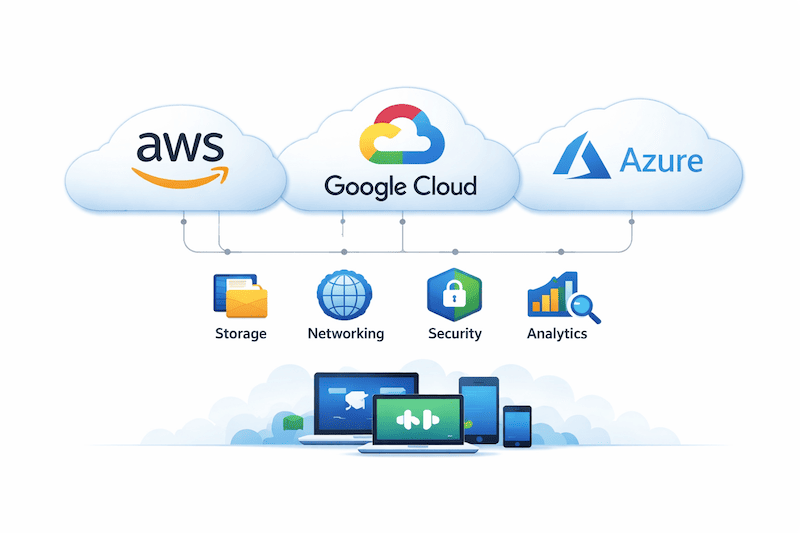
Cloud computing has become an essential part of modern technology, revolutionizing the way businesses and individuals store, access, and manage their data. In simple terms, cloud computing is the delivery of computing services over the internet, providing users with access to storage, databases, software, and more without the need for on-premises infrastructure.
With the rise of cloud computing, users can leverage a network of remote servers hosted on the internet to store, manage, and process data. This means that users are no longer limited by the constraints of physical hardware or location, allowing for increased flexibility and scalability in managing their IT resources.
There are several key benefits to using cloud computing, including cost savings, scalability, ease of access, and improved collaboration. Whether you’re a small business looking to scale your operations or an individual user in need of secure online storage, cloud computing offers a wide range of solutions to meet your needs.
- Cost Savings: With cloud computing, there is no need to invest in expensive hardware or software infrastructure. Users can pay for only the computing power and storage they need, helping to reduce operational costs.
- Scalability: Cloud computing allows users to easily scale their resources up or down based on their needs, providing the flexibility to adapt to changing demands and requirements.
- Ease of Access: Cloud computing services can be accessed from any device with an internet connection, offering users the convenience of accessing their data and applications anytime, anywhere.
- Improved Collaboration: Cloud computing enables teams to work together in real-time, sharing and collaborating on documents and projects from different locations with ease.
As we delve further into this guide, we will explore three major cloud computing providers: AWS (Amazon Web Services), Google Cloud Platform, and Microsoft Azure. Each of these providers offers a unique set of services and solutions, catering to a wide range of user needs and preferences.
Whether you’re new to cloud computing or looking to dive deeper into the advanced features and capabilities of these platforms, this guide will help you navigate the world of cloud computing and choose the right service provider for your specific requirements.
Understanding the Basics of AWS (Amazon Web Services)
So, you’re curious about Amazon Web Services (AWS)? Well, you’re in the right place! AWS is a cloud computing platform that offers a wide range of services to help businesses and individuals build and manage their IT infrastructure. Let’s break it down.
- What is AWS? — AWS is a subsidiary of Amazon that provides on-demand cloud computing platforms and APIs to individuals, companies, and governments, on a metered pay-as-you-go basis. This means you only pay for the resources you use.
- Services Offered — AWS offers a plethora of services including computing power, storage options, databases, networking, machine learning, analytics, security, and more. These services can help you scale your business without having to worry about managing physical servers.
- Global Infrastructure — One of the key advantages of AWS is its global presence. With data centers located around the world, AWS allows you to deploy your applications in multiple regions to improve performance and redundancy.
- Ease of Use — AWS is known for its user-friendly interface and comprehensive documentation, making it easy for beginners to get started with cloud computing. Plus, there is a thriving community of developers who are always there to lend a helping hand.
- Scalability — With AWS, you can easily scale up or down based on your business needs. Whether you need more storage, computing power, or bandwidth, AWS has you covered.
Overall, AWS is a game-changer when it comes to cloud computing. It offers a wide range of services, global infrastructure, ease of use, scalability, and cost-effectiveness. Whether you’re a small startup or a large enterprise, AWS has something to offer for everyone. Stay tuned as we delve into the specifics of AWS in the next sections of this guide!
Deep Dive into Google Cloud Platform
Google Cloud Platform (GCP) is a powerful cloud computing service offered by Google that provides a wide range of services including compute, storage, databases, machine learning, and networking. It is a popular choice among businesses and developers for its fast performance, flexibility, and scalability.
One of the key offerings of Google Cloud Platform is Google Compute Engine, which allows users to create virtual machines to run their applications and workloads. With Google Kubernetes Engine, users can easily deploy, manage, and scale containerized applications using Kubernetes.
- Google Cloud Storage provides a scalable and secure object storage solution for storing and accessing data in the cloud.
- BigQuery allows users to analyze massive datasets with lightning-fast SQL queries.
- Google Cloud Spanner is a globally distributed database service that offers strong consistency and horizontal scaling.
- Google Cloud AI provides a suite of machine learning APIs and tools for building intelligent applications.
Google Cloud Platform also offers a wide range of managed services such as Cloud SQL, Cloud Firestore, and Cloud Functions, which allow users to build and deploy applications quickly without worrying about managing the underlying infrastructure.
With Google’s extensive network of data centers around the world, GCP provides low-latency and high availability for users to run their applications and services globally. Google’s commitment to security and compliance ensures that users’ data and applications are protected and compliant with industry standards and regulations.
Overall, Google Cloud Platform is a comprehensive and user-friendly cloud computing service that offers a wide range of services and solutions to meet the needs of businesses and developers. Whether you are looking to build scalable applications, analyze large datasets, or implement machine learning models, GCP has got you covered.
Overview of Microsoft Azure
Microsoft Azure is a cloud computing platform provided by Microsoft that offers a wide range of services and solutions for businesses and developers. Like AWS and Google Cloud, Azure allows users to build, deploy, and manage applications and services through the global network of data centers operated by Microsoft.
Azure provides a variety of services, including virtual machines, app services, storage solutions, and databases, making it a comprehensive platform for hosting a wide range of applications and workloads. One of the key features of Azure is its integration with other Microsoft products, such as Office 365 and Dynamics CRM, making it a popular choice for enterprises that already use Microsoft software.
One of the main advantages of Azure is its compatibility with open-source technologies, allowing users to run a wide variety of workloads on the platform. Azure also offers strong support for hybrid cloud scenarios, allowing businesses to integrate their on-premises infrastructure with cloud-based resources seamlessly.
- Azure Virtual Machines: Allows users to create and manage virtual machines in the cloud, providing scalable compute resources.
- Azure App Services: Provides a platform for building, deploying, and managing web and mobile applications.
- Azure Storage: Offers scalable and secure storage solutions for data, files, and media.
- Azure Databases: Includes services for hosting relational and NoSQL databases in the cloud.
Overall, Microsoft Azure is a robust and feature-rich cloud platform that caters to the needs of both small businesses and large enterprises. With its extensive set of services, integration with Microsoft products, and support for open-source technologies, Azure has become a popular choice for organizations looking to leverage the power of the cloud.
Pros and Cons of AWS, Google Cloud, and Azure
When it comes to choosing a cloud service provider, there are several factors to consider. Each platform — AWS, Google Cloud, and Azure — has its own unique advantages and disadvantages.
- AWS (Amazon Web Services)
- Pros: AWS is the most established cloud service provider and offers a wide range of services and features. It has a large global presence, excellent scalability, and high availability.
- Cons: On the downside, AWS can be complex to navigate for beginners, and pricing may not always be transparent leading to potential billing surprises.
- Google Cloud Platform
- Pros: Google Cloud is known for its strong data analytics and machine learning capabilities. It also has a user-friendly interface and competitive pricing.
- Cons: The platform is not as widely adopted as AWS or Azure, which may limit some integration possibilities with other services.
- Microsoft Azure
- Pros: Azure is popular among enterprises due to its seamless integration with Microsoft products and services. It also offers hybrid cloud solutions for businesses with on-premise infrastructure.
- Cons: While Azure has been improving rapidly, some users may find it lacking in certain features compared to AWS or Google Cloud.
Ultimately, the best cloud service provider for you will depend on your specific needs, budget, and expertise. It’s important to weigh the pros and cons carefully before making a decision. Some businesses may even opt for a multi-cloud strategy, using different providers for different workloads.
Choosing the Right Cloud Service Provider for Your Needs
With so many options in the market, choosing the right cloud service provider for your needs can feel like a daunting task. However, by taking some key factors into consideration, you can make an informed decision that aligns with your specific requirements.
- Services Offered: Start by assessing the services offered by each provider and match them with your business needs. AWS, Google Cloud, and Azure offer a wide range of services, but each has its strengths and weaknesses. Determine which provider offers the services that best fit your requirements.
- Scalability: Consider how scalable each cloud provider is. Depending on your business growth plans, you want a provider that can easily scale along with you without causing disruptions.
- Cost: Cost is a significant factor when choosing a cloud service provider. Compare the pricing models of AWS, Google Cloud, and Azure to see which one fits within your budget while also offering the necessary features.
- Compliance and Security: Ensure that the provider you choose meets all the necessary compliance and security standards for your industry. Data security is crucial in today’s digital landscape, so select a provider with robust security measures in place.
- Support and Documentation: Look for a provider with excellent customer support and comprehensive documentation. You want to be able to resolve any issues quickly and efficiently, so responsive support is essential.
Ultimately, the best way to choose the right cloud service provider is to evaluate your specific needs and priorities. Consider factors such as the type of services you require, your budget constraints, and the level of support you need. By carefully weighing these elements, you can make an informed decision that will benefit your business in the long run.
Getting Started with AWS: Setting Up an Account and Services
So you’ve decided to dip your toes into the world of cloud computing with Amazon Web Services (AWS), but you’re not quite sure where to start. Don’t worry, setting up an account and getting started with AWS is easier than you might think.
- Create an AWS Account: To begin, simply visit the AWS website and click on the «Create an AWS Account» button. You’ll need to provide some basic information and set up a payment method, but don’t worry, AWS offers a free tier with certain limitations so you can get started without incurring any costs.
- Choose Your Region: AWS operates in multiple regions around the world, each of which has its own availability zones. When setting up your account, you’ll need to choose a region to operate in. Consider factors like latency and data sovereignty when making your selection.
- Set Up Security Measures: Security is paramount when it comes to the cloud. Make sure to set up multi-factor authentication (MFA) and create strong, unique passwords to protect your account from unauthorized access.
- Explore AWS Services: Once your account is set up, it’s time to start exploring the plethora of services that AWS has to offer. From computing power with EC2 to storage solutions with S3, there’s something for every need and budget.
- Start Building: Whether you’re looking to host a website, build a mobile app, or run machine learning algorithms, AWS has the tools you need to bring your ideas to life. Check out the AWS Management Console to get started with creating and managing your resources.
Remember, AWS offers a wealth of documentation, tutorials, and training resources to help you along your cloud computing journey. Don’t be afraid to dive in and start experimenting with different services to see what works best for your needs. The possibilities are endless with AWS, so don’t be afraid to dream big and start building your cloud-based applications today.
«»»
Exploring Google Cloud Services and Solutions
Google Cloud Platform offers a wide array of services and solutions to support businesses of all sizes. One of the key offerings from Google Cloud is Google Compute Engine, which provides virtual machines that run on Google’s infrastructure. This allows businesses to easily scale their computing resources based on their needs.
- Google Cloud Storage is another important service that enables users to store data in the cloud securely. With Google Cloud Storage, businesses can access their data from anywhere and easily share it with others.
- For businesses looking to analyze large amounts of data, Google BigQuery is a valuable tool that helps in processing and analyzing data quickly and efficiently.
- Google Cloud Functions allow developers to write small pieces of code that are executed in response to specific events. This serverless compute solution simplifies the process of building and deploying applications.
Additionally, Google Cloud offers a range of networking services such as Virtual Private Cloud (VPC) to create isolated networks within the cloud environment and Cloud Load Balancing to distribute incoming network traffic across multiple instances.
Moreover, Google Cloud also provides AI and machine learning tools through its platform. TensorFlow, a popular open-source library for machine learning, is supported on Google Cloud, making it easier for businesses to build and deploy machine learning models.
When it comes to security, Google Cloud ensures that customer data is protected by employing stringent security measures. With state-of-the-art encryption mechanisms and advanced access controls, businesses can rest assured that their data is safe and secure in the cloud.
Overall, Google Cloud services and solutions cater to a wide range of business needs, from storage and computation to analytics and machine learning. By leveraging the offerings from Google Cloud Platform, businesses can streamline their operations, improve efficiency, and drive innovation in today’s fast-paced digital landscape.
«»»
Utilizing Azure for Infrastructure as a Service (IaaS) and Platform as a Service (PaaS)
Azure, Microsoft’s cloud computing platform, provides a range of services that cater to both infrastructure and platform needs. With Infrastructure as a Service (IaaS), users can access virtual machines, storage, and networking resources on-demand, allowing for scalability and flexibility without the need to invest in physical hardware.
On the other hand, Platform as a service (PaaS) offered by Azure gives businesses a complete development and deployment environment in the cloud. This includes tools for application development, testing, and hosting, simplifying the process and reducing the time to market for new applications and services.
For businesses looking to quickly deploy and scale applications without the burden of managing underlying infrastructure, Azure’s PaaS offerings provide a streamlined solution. With a wide range of services such as Azure App Services, Azure Functions, and Azure SQL Database, developers can focus on building and optimizing their applications without worrying about the underlying platform.
Similarly, Azure’s IaaS capabilities offer a cost-effective solution for businesses looking to migrate existing workloads to the cloud or for those seeking temporary resources for development or testing purposes. By providing access to virtual machines, storage, and networking resources, Azure IaaS allows businesses to quickly provision and scale resources based on their needs.
Whether it is building new applications from scratch or migrating existing workloads to the cloud, Azure provides a comprehensive set of tools and services to support various use cases. By leveraging Azure’s IaaS and PaaS offerings, businesses can enhance their agility, reduce costs, and improve their overall efficiency in the cloud.
Comparing Pricing Models of AWS, Google Cloud, and Azure
When it comes to choosing a cloud service provider, one of the key factors that come into play is pricing. Each of the major players in the cloud computing industry – AWS, Google Cloud, and Azure – offer different pricing models that cater to a variety of customer needs. Let’s take a closer look at how these pricing models compare.
- AWS: Amazon Web Services offers a pay-as-you-go pricing model, where customers only pay for the resources they use. This can be a cost-effective option for businesses with fluctuating workloads, as they only pay for what they actually consume. AWS also offers discounts for long-term commitments through Reserved Instances.
- Google Cloud: Google Cloud Platform also operates on a pay-as-you-go model, but they differentiate themselves by offering sustained usage discounts. This means that the more you use their services, the less you pay per hour. Google also provides preemptible VMs, which are lower-cost instances that can be terminated if demand is high.
- Azure: Microsoft Azure provides a flexible pricing model, with options for pay-as-you-go or reserved instances. Azure also offers discounts for customers who commit to a certain level of usage over a period of time. They have a pricing calculator that allows customers to estimate their costs based on usage patterns.
It’s important to consider factors such as your specific workload, storage requirements, data transfer costs, and any additional services you may need when comparing the pricing models of AWS, Google Cloud, and Azure. Additionally, keep in mind that each provider may have different pricing tiers for different services, so it’s worth taking the time to do a detailed cost analysis.
Overall, the pricing structures of AWS, Google Cloud, and Azure each have their own advantages and may cater to different types of businesses. It’s essential to evaluate your requirements carefully and weigh the pros and cons of each provider before making a decision on which one is the best fit for your budget and needs.
Security Considerations in Cloud Computing
When it comes to storing your data in the cloud, you want to ensure that it is safe and secure. Cloud computing offers various security measures to protect your information, but it is essential to understand the potential risks and considerations before making the move.
- Data Encryption: It is crucial to encrypt your data both while it is in transit and at rest to prevent unauthorized access. Make sure your cloud service provider offers robust encryption mechanisms.
- Multi-Factor Authentication: Implementing multi-factor authentication adds an extra layer of security by requiring users to provide two or more verification factors before granting access.
- Regular Monitoring and Auditing: Keep a close eye on your cloud environment through regular monitoring and auditing to detect any unusual activities or potential security breaches.
- Backup and Disaster Recovery: Ensure that your cloud provider has robust backup and disaster recovery mechanisms in place to protect your data in case of unexpected events.
It is essential to also consider the shared responsibility model when it comes to cloud security. While cloud providers are responsible for securing the infrastructure, customers are responsible for securing their data and applications. As a best practice, always keep your software up to date, use strong passwords, and regularly train your employees on cybersecurity awareness.
Each cloud service provider — AWS, Google Cloud, and Azure — offers comprehensive security features to protect your data. However, it is vital to review each provider’s specific security capabilities and compliance certifications to ensure they align with your organization’s requirements.
Remember that security is an ongoing process, and it requires proactive measures to mitigate risks effectively. By implementing best practices and leveraging the security features provided by your cloud service provider, you can significantly reduce the likelihood of a security breach and protect your valuable data in the cloud.
Future Trends in Cloud Computing and the Role of AWS, Google Cloud, and Azure
As technology continues to evolve at a rapid pace, the future of cloud computing is expected to bring about many exciting developments. AWS, Google Cloud, and Azure are at the forefront of this innovation, and their role in shaping the future of cloud services is significant.
- 1. Hybrid Cloud Solutions:
- 2. Edge Computing:
- 3. Artificial Intelligence and Machine Learning:
One major trend in cloud computing is the adoption of hybrid cloud solutions. This involves using a combination of public cloud services from providers like AWS, Google Cloud, and Azure, along with private cloud infrastructure. This hybrid approach offers greater flexibility and scalability for businesses.
Another emerging trend in cloud computing is edge computing, which involves processing data closer to where it is generated rather than relying solely on centralized data centers. This can help reduce latency and enhance performance in real-time applications.
Cloud providers are increasingly integrating artificial intelligence and machine learning capabilities into their services. This allows businesses to leverage these advanced technologies without having to invest heavily in underlying infrastructure.
Overall, the future of cloud computing is promising, with AWS, Google Cloud, and Azure leading the way in driving innovation and providing cutting-edge solutions to meet the evolving needs of businesses. By staying up-to-date on the latest trends and advancements in cloud technology, businesses can ensure they are maximizing the benefits of cloud services for their operations.

 Subscribe to the newsletter








Сообщить об опечатке
Текст, который будет отправлен нашим редакторам: