

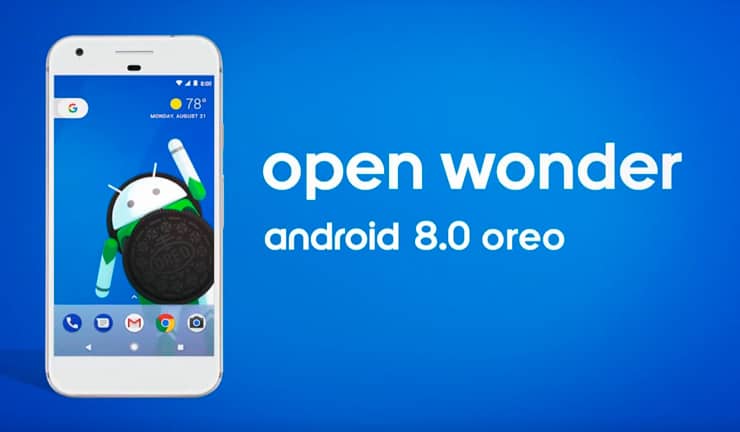
Google officially released Android 8.0, previously codenamed Android O. It’s now clear that the «O» in the name stood for Oreo. Google has a long history of naming successive releases of its mobile OS after various sweets, and Oreo is a popular black-and-white cookie. The announcement of the new system coincided with a solar eclipse in the US, which the company played up in the release.
The UI has changed little compared to previous versions, although there are noticeable changes in the settings menu. Many of them have been renamed and reorganized in an attempt to make the settings process easier for the user, simplifying app and screen settings. New system features include:
- Picture-in-picture – any video the smartphone owner is currently using can be viewed as a small screen that can be moved freely around the display while working with other apps.
- Autofill framework – makes it easier for apps to sync passwords when users enable them on new devices. Apps can optimize their data for Autofill (the blog post link explains how to do this).
- Improved app notifications (the new notification icon even borrows the color of the app icon). You can tap an app icon to view its latest notifications. Oreo also introduced «notification channels»: you can disable some notifications for an app (for example, about new features) and keep others (for example, about new chat messages).
- Smart text selection. Now, if you select text, the system will try to recognize it: if it’s an address, you’ll be offered a link to maps; if it’s a phone number, you’ll be offered the option to call it immediately.
- A set of new emoji.
- Adaptive icons: the user can choose the shape of the icons; five options are currently available, including round, square with rounded edges, and more.
- You can pin a shortcut to a specific app directly to the launcher.

 Subscribe to the newsletter






Сообщить об опечатке
Текст, который будет отправлен нашим редакторам: